Building Social Media Downloader: An Open-Source CLI Tool for Video Downloads

Discover the journey of creating Social Media Downloader (SMD), an open-source command-line interface tool designed for downloading videos from various social media platforms. This blog post delves into the features, technical architecture, installation process, and ethical considerations surrounding SMD.
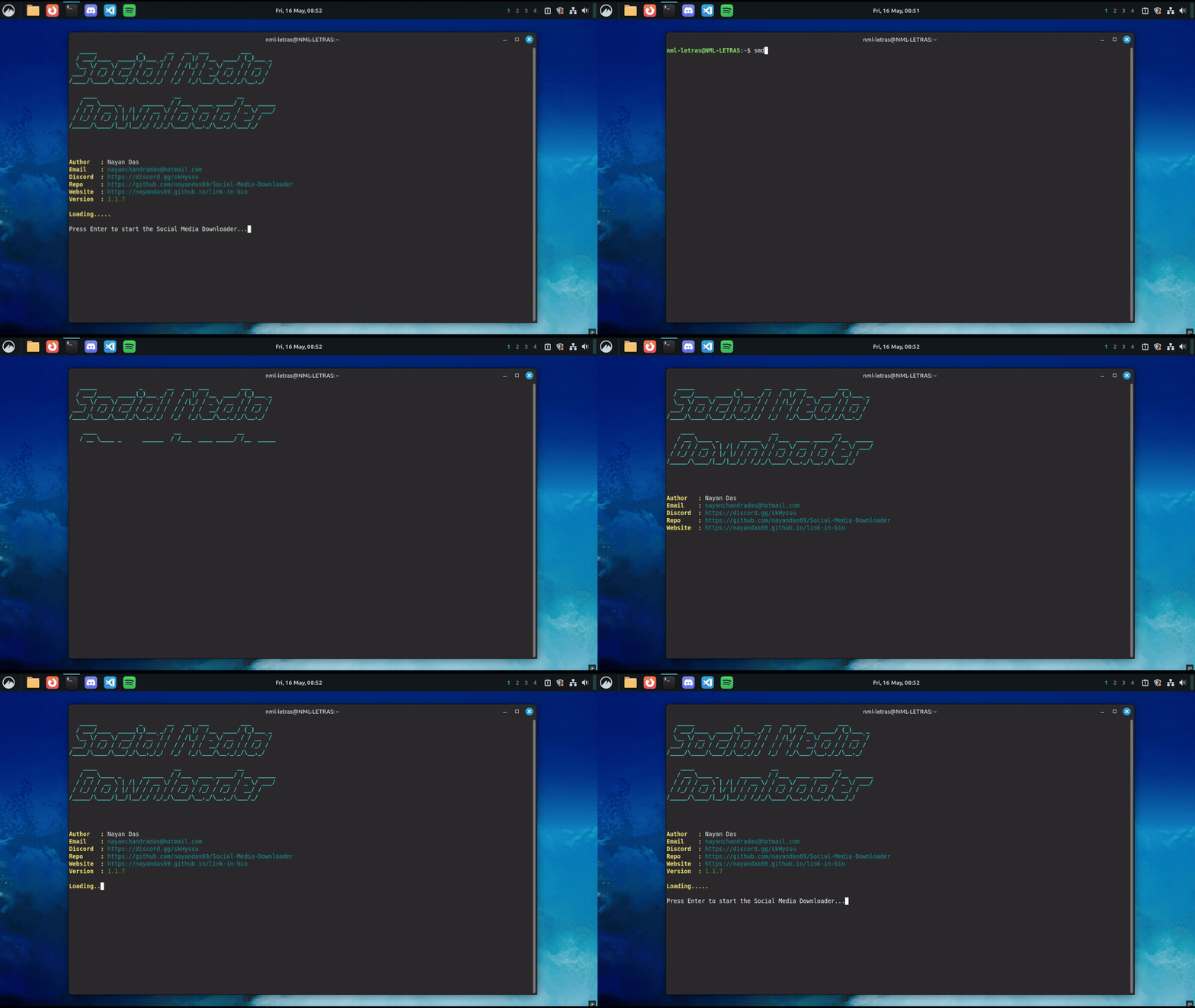
In an era where digital content consumption has reached unprecedented heights, the ability to save and archive publicly available videos has become increasingly valuable. Whether you are a content creator seeking inspiration, a researcher archiving material for academic purposes, or simply someone who wishes to enjoy videos offline, having a reliable download tool is essential. This is precisely why I developed Social Media Downloader (SMD) — a fast, intuitive, and open-source command-line interface tool designed to streamline the video downloading process.
The Genesis of Social Media Downloader
The inception of this project stemmed from a simple observation: whilst numerous video downloading solutions exist, many are plagued by intrusive advertisements, questionable security practices, or convoluted user interfaces. I envisioned a tool that would embody three fundamental principles: simplicity, transparency, and reliability. By open-sourcing the entire codebase, users can inspect every line of code, ensuring complete trust in what the software does.
Core Features and Capabilities
Social Media Downloader distinguishes itself through a comprehensive feature set that caters to both casual users and power users alike.
Multi-Platform Support
The tool supports an extensive array of platforms, including but not limited to:
- YouTube and YouTube Shorts
- TikTok videos
- Instagram posts and reels
- Facebook and Facebook Watch
- X (formerly Twitter)
- Reddit videos
- Twitch clips
- Vimeo, Dailymotion, and Rumble
Under the hood, SMD leverages the remarkable yt-dlp library, which means it inherently supports hundreds of additional websites beyond those explicitly listed.
Flexible Format Selection
Users retain complete control over their downloads. The tool presents all available formats in a beautifully formatted table, allowing you to select precisely the quality you desire:
VALID_DEFAULT_FORMATS = {
    "show_all",
    "mp3",
    "360p",
    "480p",
    "720p",
    "1080p",
    "1440p",
    "2160p",
    "4320p",
}
Whether you require a compact 360p file for mobile viewing or a pristine 4K resolution for archival purposes, the choice is entirely yours.
Batch Download Functionality
For users who need to download multiple videos simultaneously, SMD offers a batch download feature. Simply create a text file containing one URL per line, and the tool will process each entry sequentially, maintaining a detailed log of successes and failures.
Audio Extraction
The tool seamlessly extracts audio from video content, supporting various MP3 quality levels from 64 kbps to 320 kbps. This proves particularly useful for podcasts, music videos, or educational content where the visual component is secondary.
Technical Architecture
The project adheres to modern Python development practices and maintains a clean, modular architecture.
Dependencies
The core dependencies are deliberately minimal yet powerful:
yt-dlp>=2024.1.0
instaloader>=4.11.0
tqdm>=4.66.0
requests>=2.32.0
pyfiglet>=1.0.0
termcolor>=2.4.0
tabulate>=0.9.0
Each library serves a specific purpose: yt-dlp handles the heavy lifting of video extraction, instaloader specialises in Instagram content, tqdm provides elegant progress bars, and termcolor alongside pyfiglet creates the visually appealing CLI interface.
Configuration Management
SMD implements a robust configuration system that persists user preferences:
DEFAULT_CONFIG = {
    "default_format": "show_all",
    "download_directory": "media",
    "history_file": "download_history.csv",
    "mp3_quality": "192",
}
The configuration automatically validates entries and corrects invalid values, ensuring the tool remains functional even with misconfigured settings.
Error Handling and Logging
Comprehensive logging captures every operation, facilitating troubleshooting when issues arise. Download history is meticulously recorded in CSV format, providing a complete audit trail of all activities.
Installation Guide
Getting started with Social Media Downloader is remarkably straightforward.
Prerequisites
Ensure FFmpeg is installed on your system, as it is required for video processing:
For Windows: Download from the official FFmpeg website and add the bin folder to your system PATH.
For Linux:
sudo apt update
sudo apt install ffmpeg
Installation via pip (Recommended)
pip install social-media-downloader
Running the Tool
Once installed, simply invoke:
smd
The interactive CLI will guide you through the entire process with clear prompts and visual feedback.
Installation Tutorial
Ethical Considerations
It is paramount to emphasise that Social Media Downloader is designed exclusively for publicly available content. The tool cannot and should not be used to download private, copyrighted, or restricted material. Users bear full responsibility for ensuring their usage complies with applicable laws and platform terms of service.
Community and Contributions
With over 17,000+ users and a growing community, SMD continues to evolve based on user feedback. The project welcomes contributions of all forms — whether bug reports, feature suggestions, or code contributions. The codebase is available on GitHub, and comprehensive documentation is hosted at the project website.
Social Media Downloader represents more than merely a utility; it embodies the spirit of open-source development — creating tools that empower users whilst maintaining complete transparency. Whether you are downloading a single video or processing hundreds in batch mode, SMD provides a reliable, efficient, and user-friendly solution.
The project remains under active development, with new features and platform support continuously being added. I invite you to explore the tool, contribute to its development, and join our community on Discord. Together, we can build something truly remarkable.
Social Media Downloader is licensed under the MIT License and is not affiliated with or endorsed by any of the supported platforms.
Repo/Documentation
More Posts
Building My Developer Portfolio wit...
How I built my personal developer portfolio from scratch using Nuxt 4, Vue 3, SCSS design tokens, the GitHub REST API, and the Blogverse API — with full SSR, unit testing, and Vercel deployment.
Git and GitHub: From Confusion to M...
Master Git and GitHub from first principles. Learn version control, collaboration workflows, and real-world practices that professional developers actually use every day.
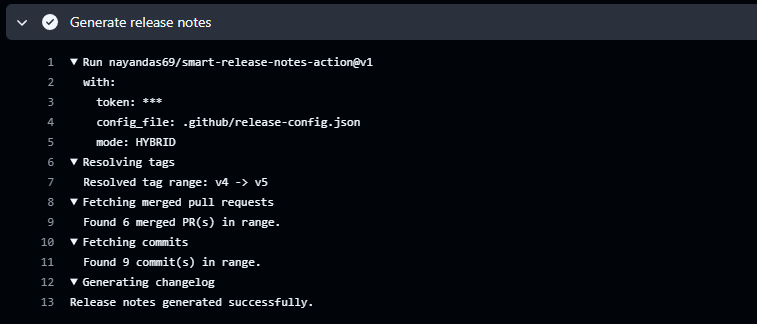
Automating Release Notes Like a Pro...
Discover how to automatically generate clean, categorized release notes directly from your GitHub PRs and commits using Smart Release Notes Action. Learn setup, configuration, and best practices for seamless release automation.