Building a Dynamic GitHub Profile Card Generator with Node.js and SVG

Learn how to build a real-time GitHub profile card generator using Node.js, GraphQL, and SVG rendering. Explore caching strategies, API optimization, and deployment techniques.
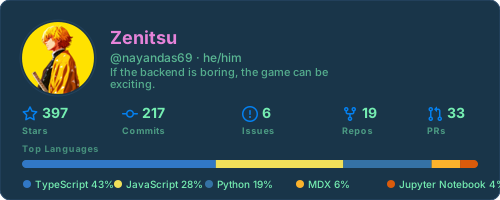
Let's Build a GitHub Profile Card Generator!
Creating shareable profile cards that showcase your GitHub achievements is a powerful way to highlight your accomplishments. In this post, we'll explore how to build a GitHub Profile Card Generator—a full-stack application that fetches real-time user data from the GitHub API and renders it as a beautiful, embeddable SVG card.
This project demonstrates advanced backend techniques including multi-layer caching strategies, GraphQL API optimization, and progressive enhancement. Whether you're building personal portfolio tools or SaaS features, the patterns covered here are directly applicable to your own projects.
Let's Dive In!
-
Repository
bashgit clone https://github.com/nayandas69/github-profile-card.git cd github-profile-card -
Dependency Installation
bashpnpm install
Project Overview
The GitHub Profile Card Generator is a Node.js application that transforms GitHub user data into visually compelling SVG profile cards. It pulls real-time information including repository statistics, programming language breakdowns, contribution metrics, and user profile information.
Key features include:
- Real-time GitHub user data fetching
- Multi-theme support with customizable colors
- Responsive SVG rendering
- Three-tier caching architecture
- GraphQL API optimization
- Serverless deployment ready
The application is built with modern tooling: Hono web framework, TypeScript for type safety, and comprehensive test coverage using Vitest.
Architecture Deep Dive
System Design
Understanding the architecture is crucial for maintaining and extending this project. The separation of concerns between data fetching, rendering, and routing makes the codebase highly maintainable.
The project follows a modular architecture organized into discrete layers:
github-profile-card/
├── api/                  # Serverless function entry point
├── src/
│   ├── app.ts           # Route definitions (Hono framework)
│   ├── server.ts        # Node.js server execution
│   ├── services/        # Business logic layer
│   │   ├── card.ts      # SVG rendering engine
│   │   └── github.ts    # GitHub API client
│   ├── types/           # TypeScript interfaces
│   └── utils/           # Helper functions and utilities
├── __tests__/           # Test specifications
└── config files         # TypeScript, Vitest, Prettier configs
This structure enables:
- Type safety: Centralized TypeScript interfaces prevent bugs
- Testability: Each service is independently testable
- Scalability: Easy to add new features without affecting existing code
- Maintainability: Clear separation of concerns
Data Flow
The application follows a request-response pipeline optimized for performance:
- HTTP Request arrives at the Hono router
- Cache Check looks for existing data in memory and Redis
- GitHub GraphQL query executes if cache miss
- Data Aggregation collects stats across multiple repositories
- SVG Rendering transforms data into visual output
- Response returns with aggressive caching headers
The multi-layer caching approach ensures that even with thousands of concurrent requests, most respond from cache within milliseconds. This dramatically reduces load on the GitHub API.
Caching Strategy: The Three Tiers
Caching is critical for performance and API quota management. This project implements a sophisticated three-tier approach:
Layer 1: In-Memory Cache
interface CacheEntry {
  expiresAt: number;
  value?: ProfileData;
  inFlight?: Promise<ProfileData>;
}

const cache = new Map<string, CacheEntry>();
The in-memory cache is the fastest tier, storing profile data locally with a 30-minute TTL. Each server instance maintains its own cache, making responses nearly instantaneous for repeat requests.
Advantages:
- Sub-millisecond response times
- Zero external dependencies
- Perfect for single-instance deployments
Limitations:
- Not shared across server instances
- Lost on process restart
Layer 2: Upstash Redis
For distributed deployments, the application optionally integrates with Upstash Redis:
const redis = await getRedis();
if (redis) {
  const redisValue = await redis.get<ProfileData>(`profile:${cacheKey}`);
  if (redisValue) return redisValue;
}
Upstash provides a serverless Redis instance accessible from anywhere, enabling cache sharing across multiple server instances.
Benefits:
- Shared cache across instances
- Persistent storage
- Minimal configuration overhead
Trade-offs:
- Slightly higher latency than memory (10-50ms)
- Requires external API key
- Subject to network conditions
Layer 3: GitHub GraphQL API
When both cache layers miss, the application queries GitHub's GraphQL API directly:
const res = await fetch('https://api.github.com/graphql', {
  method: 'POST',
  headers: getHeaders(),
  body: JSON.stringify({ query, variables }),
});
GitHub API calls are expensive and quota-limited. The caching strategy ensures that the live API is contacted only when necessary, dramatically extending available quota.
GraphQL Query Optimization
GitHub's GraphQL API is powerful but requires careful query design. The application implements two specialized queries:
Query with Languages
The full query includes language data but requires pagination through all repositories:
query userInfo($login: String!, $cursor: String, $from: DateTime!, $to: DateTime!) {
  user(login: $login) {
    login
    name
    avatarUrl
    bio
    pronouns
    twitterUsername
    openPRs: pullRequests(states: OPEN) { totalCount }
    closedPRs: pullRequests(states: CLOSED) { totalCount }
    mergedPRs: pullRequests(states: MERGED) { totalCount }
    repositories(first: 100, ownerAffiliations: OWNER, isFork: false) {
      nodes {
        stargazers { totalCount }
        languages(first: 10, orderBy: {field: SIZE, direction: DESC}) {
          edges { size node { color name } }
        }
      }
    }
  }
}
Lightweight Query
For performance-sensitive scenarios, a simplified query skips language data:
query userInfo($login: String!, $cursor: String, $from: DateTime!, $to: DateTime!) {
  user(login: $login) {
    login
    name
    avatarUrl
    bio
    pronouns
    twitterUsername
    openPRs: pullRequests(states: OPEN) { totalCount }
    repositories(first: 100, ownerAffiliations: OWNER, isFork: false) {
      nodes {
        stargazers { totalCount }
      }
    }
  }
}
The application intelligently selects the appropriate query based on user parameters, reducing response times when language data isn't needed.
GitHub's API rate limiting allows 5,000 requests per hour for authenticated requests. Each user query might require multiple requests to paginate through all repositories. Plan accordingly in production environments.
SVG Card Rendering Engine
The card rendering engine is where data becomes visual. Built entirely with string manipulation and SVG primitives, it produces beautiful, lightweight output.
Layout Architecture
The card uses fixed dimensions with carefully calculated offsets:
const W = 500;      // Card width
const H = 200;      // Card height
const P = 22;       // Padding
const avatarSize = 72;
const infoX = P + avatarSize + 16;
This approach ensures consistent rendering across different contexts and client systems.
Dynamic Elements
The card includes several dynamic sections:
Profile Section
- Circular avatar (clipped with
<clipPath>) - User's display name
- GitHub username
- Bio (wrapped to 2 lines)
- Pronouns (if available)
- Twitter handle (if available)
Statistics Section
- Stars earned across all repositories
- Total commits in the current year
- Open and closed issues
- Number of repositories
- Open, closed, and merged pull requests
Languages Bar
- Proportional visualization of top 5 languages
- Color-coded by language (GitHub's official colors)
- Percentage display
The entire SVG is rendered on the server, so the card loads instantly in any Markdown parser, email client, or website that supports SVG images. No JavaScript required!
Avatar Embedding Strategy
A key innovation is embedding avatars as base64 data URLs directly in the SVG:
async function fetchAvatarDataUrl(url: string): Promise<string | null> {
  const sizedUrl = `${url}${url.includes('?') ? '&' : '?'}s=96`;
  const res = await fetch(sizedUrl);
  const bytes = await res.arrayBuffer();
  const base64 = Buffer.from(bytes).toString('base64');
  return `data:${contentType};base64,${base64}`;
}
This ensures the card remains functional even in contexts that block external image requests, making it truly portable.
HTTP Routes and Endpoints
The Hono framework defines a clean REST API with three endpoints:
GET / - API Information
Returns metadata and available themes:
{
  "name": "GitHub Profile Card API",
  "version": "0.1.0",
  "usage": "GET /card/:username",
  "themes": ["github_dark", "dracula", "nord", ...]
}
GET /card/:username - Generate Card
The primary endpoint supporting multiple customization options:
Parameters:
username(path): GitHub usernametheme: Theme name (e.g., "github_dark")title_color: Hex color for titletext_color: Hex color for texticon_color: Hex color for iconsbg_color: Background colorborder_color: Border colorhide_border: Remove border ("true")compact: Hide bio and social ("true")fields: Filter data ("languages", "stats", "all")
Response:
- Content-Type:
image/svg+xml - Caching headers for aggressive CDN caching
- Body: Complete SVG markup
GET /health - Health Check
Simple monitoring endpoint returning:
{
  "status": "ok",
  "timestamp": "2026-02-13T10:30:45.000Z"
}
How would you extend this API to support additional data sources like GitHub sponsors, user activity feeds, or contribution graphs?
Type Safety with TypeScript
The project uses centralized TypeScript interfaces to ensure type safety across all components:
export interface UserProfile {
  login: string;
  name: string | null;
  avatarUrl: string;
  avatarDataUrl?: string | null;
  bio: string | null;
  pronouns: string | null;
  twitter: string | null;
}

export interface UserStats {
  stars: number;
  repos: number;
  prs: number;
  issues: number;
  commits: number;
}

export interface LanguageStat {
  name: string;
  size: number;
  color: string;
}

export interface ProfileData {
  user: UserProfile;
  stats: UserStats;
  languages: LanguageStat[];
}
These interfaces are imported and used consistently across services, preventing type mismatches and catching errors at compile time.
Testing Strategy
Comprehensive test coverage ensures reliability using Vitest:
pnpm run test              # Run all tests
pnpm run test:watch       # Watch mode
pnpm run test:coverage    # Coverage report
Test files cover:
- Card rendering output
- Formatting helpers (number abbreviation, XML escaping)
- GitHub service data fetching
- Theme resolution and icon rendering
Testing is critical for API-dependent projects. Always mock external API calls to avoid quota consumption during development and testing.
Deployment Options
The project supports multiple deployment scenarios:
Node.js Server
Run directly with Node.js:
pnpm start
Starts an HTTP server on port 3000, perfect for containerized deployments.
Vercel Serverless
Deploy as a Vercel serverless function via the api/index.ts export point. The Vercel platform automatically handles scaling and deployment.
Docker Container
Package as a Docker image for any infrastructure:
FROM node:24
WORKDIR /app
COPY . .
RUN pnpm install --frozen-lockfile
CMD ["pnpm", "start"]
Environment Configuration
The application requires GitHub API credentials:
GITHUB_TOKEN=ghp_xxxxxxxxxxxxxxxxxxxxxxxxxxxx
Optional configuration:
# Upstash Redis (for distributed caching)
UPSTASH_REDIS_REST_URL=https://your-instance.upstash.io
UPSTASH_REDIS_REST_TOKEN=your_token_here
Never commit environment variables to version control. Use .env.local for development and secure secret management in production (Vercel Secrets, AWS Secrets Manager, etc.).
Performance Considerations
The project achieves exceptional performance through several optimizations:
Request Deduplication Multiple concurrent requests for the same user are deduplicated, sharing a single in-flight API call. This prevents "thundering herd" issues.
Aggressive Caching
HTTP response headers specify both client-side caching (max-age=0) and CDN caching (s-maxage=1800):
Cache-Control: public, max-age=0, s-maxage=1800, stale-while-revalidate=1800
Avatar Optimization Avatar images are requested at 96px resolution (not the default 140px), reducing bandwidth while maintaining visual quality.
Pagination Efficiency Repository pagination is optimized to fetch only the data needed, stopping early when beneficial.
Real-World Usage Examples
Embed in README

Custom Branding

Compact Mode

Color Customization

Key Takeaways
Building this project teaches fundamental patterns applicable across backend development:
- Caching Strategy - Multi-tier caching dramatically improves performance and reduces infrastructure costs
- API Optimization - Thoughtful query design and pagination prevent hitting rate limits
- Data Transformation - Converting structured data into visual output (SVG) adds value for end users
- Error Handling - Graceful degradation ensures the system works even when external APIs fail
- Type Safety - TypeScript catches bugs before they reach production
- Testing - Comprehensive tests provide confidence in reliability
- Deployment Flexibility - Supporting multiple deployment targets increases reach
The GitHub Profile Card Generator demonstrates how to build production-ready backend services that transform data into shareable artifacts. The multi-layer caching, GraphQL optimization, and SVG rendering techniques are directly applicable to other projects requiring real-time data fetching and dynamic content generation.
The codebase emphasizes maintainability, performance, and type safety—principles that scale from side projects to enterprise applications. Whether you're building personal portfolio tools, SaaS features, or data visualization APIs, the patterns covered here provide a solid foundation.
Start exploring the project, experiment with different themes and customizations, and consider how these techniques could enhance your own applications.
References
More Posts
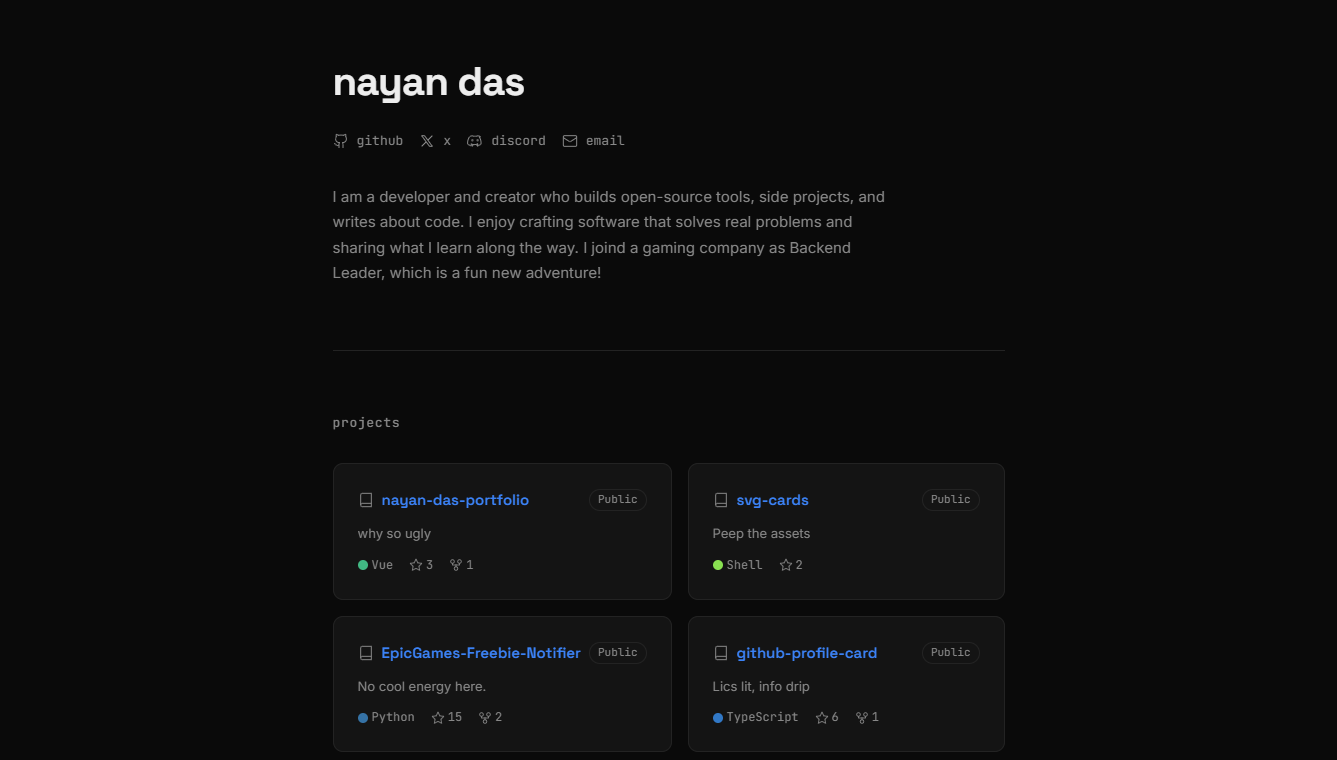
Building My Developer Portfolio wit...
How I built my personal developer portfolio from scratch using Nuxt 4, Vue 3, SCSS design tokens, the GitHub REST API, and the Blogverse API — with full SSR, unit testing, and Vercel deployment.

Git and GitHub: From Confusion to M...
Master Git and GitHub from first principles. Learn version control, collaboration workflows, and real-world practices that professional developers actually use every day.
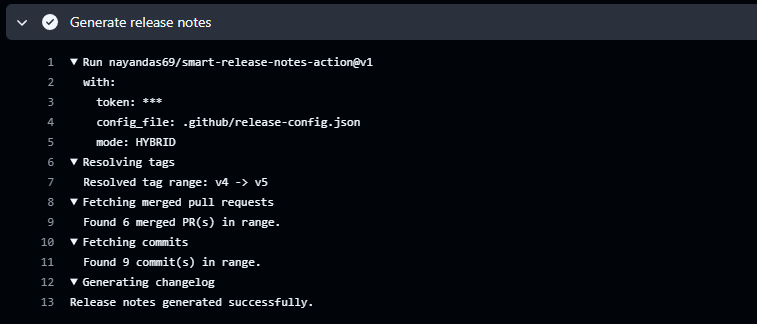
Automating Release Notes Like a Pro...
Discover how to automatically generate clean, categorized release notes directly from your GitHub PRs and commits using Smart Release Notes Action. Learn setup, configuration, and best practices for seamless release automation.